
Desktop guide
The current VibeVault desktop build already has a real working surface.
This page documents the current WPF preview and shows the main screens that already exist today: dashboard, scanner, sanitizer, backups, and settings. It is a companion to the CLI-first workflow, not a disconnected mockup.
Desktop overview
Windows-first WPF preview driven by the same product model as the CLI.
Screenshot gallery
Five desktop surfaces that already exist in the current build.
This is the quickest visual way to explain what the desktop version covers today.
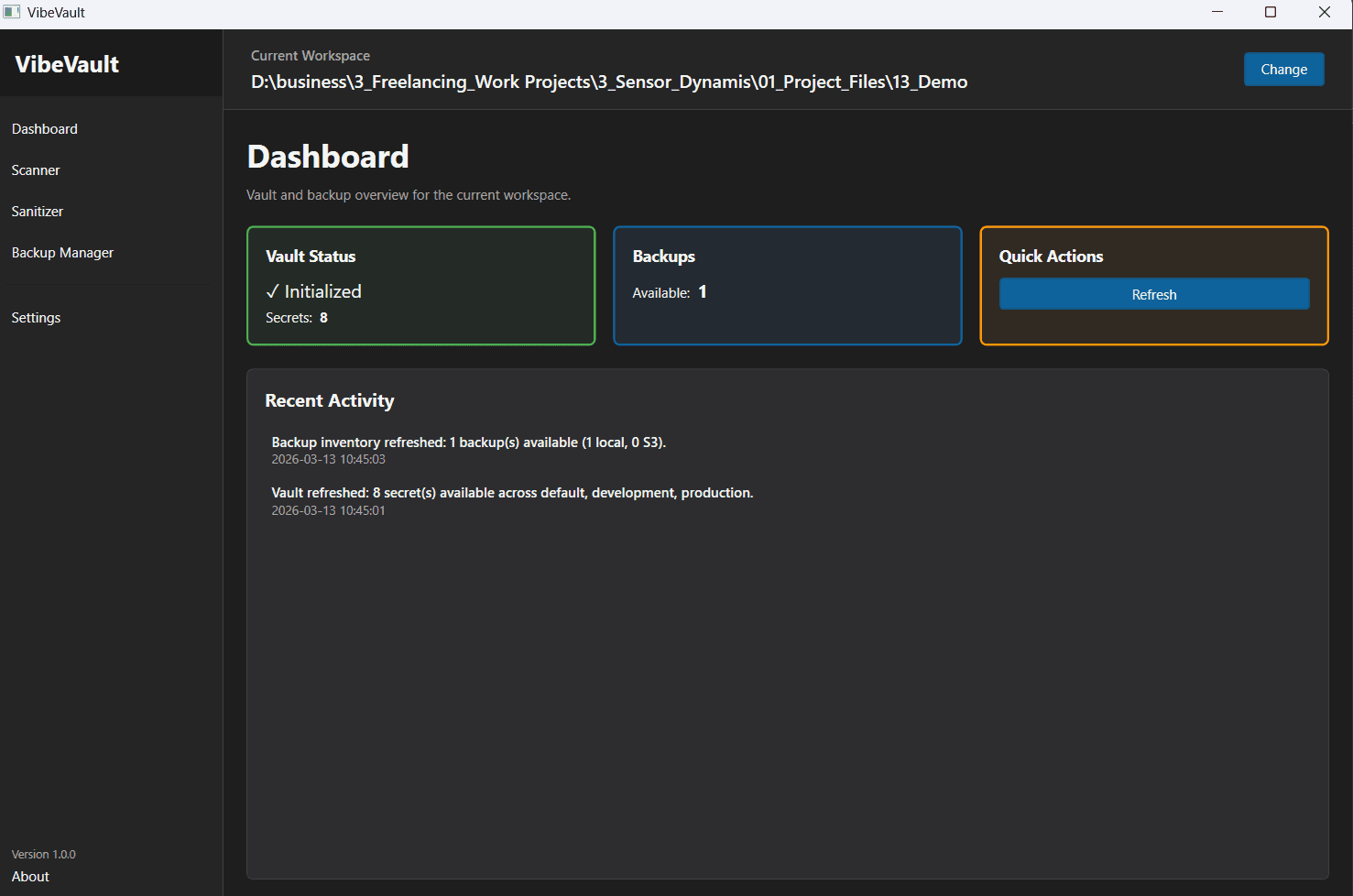
Dashboard
The desktop entry point gives the current workspace context and a status-oriented overview for vault and backup activity.
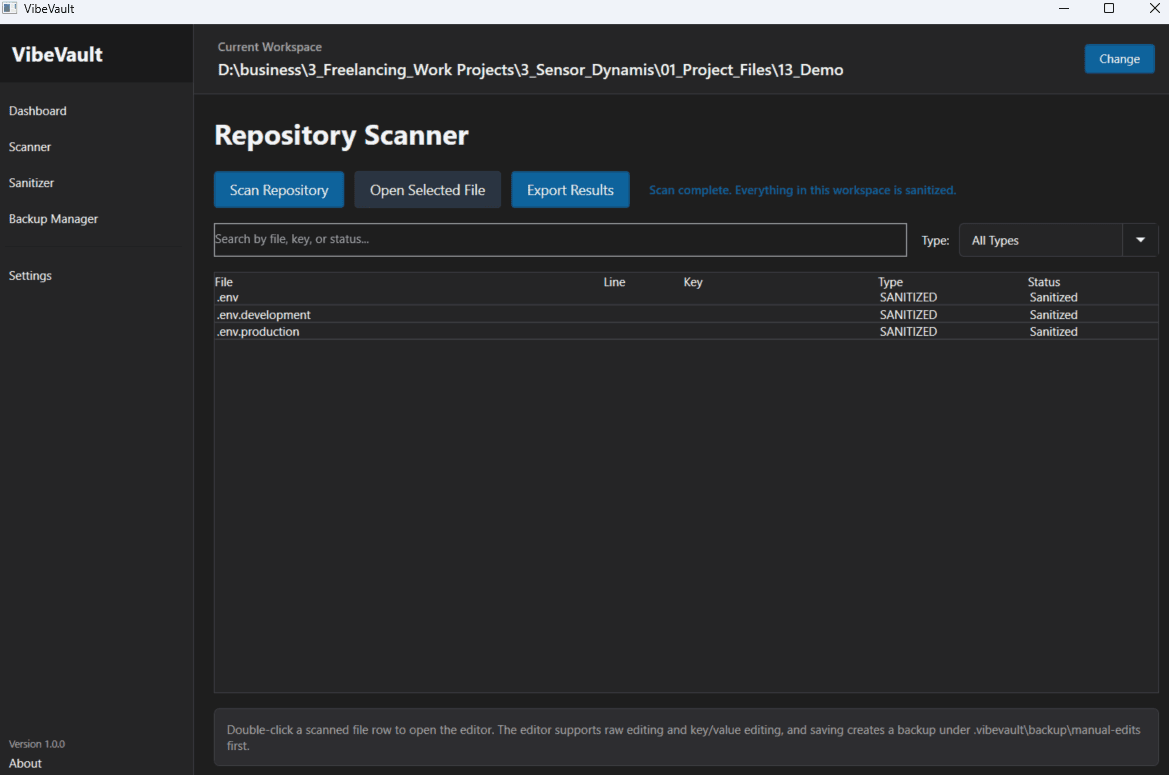
Scanner
The scanner surface lets teammates review findings in a workspace without starting from the terminal workflow.
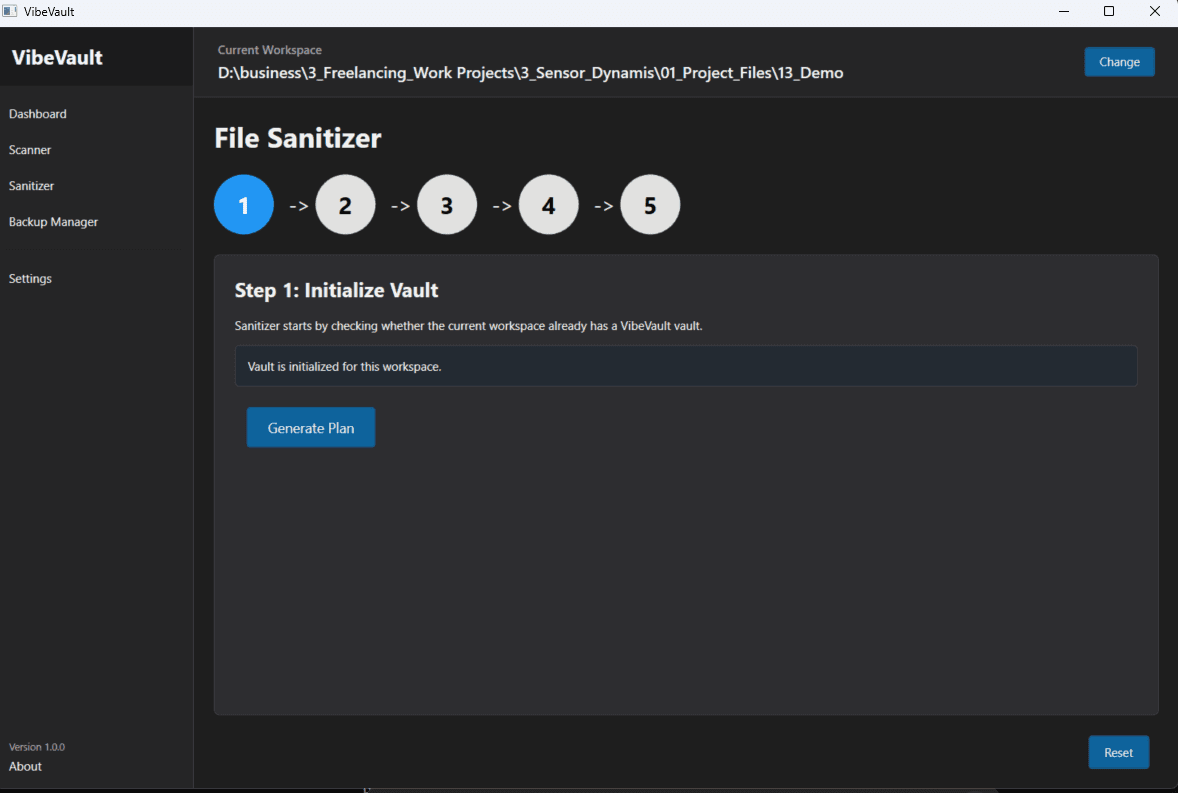
Sanitizer
The sanitizer flow walks through planning, backup choices, and execution so the workspace can be scrubbed safely.
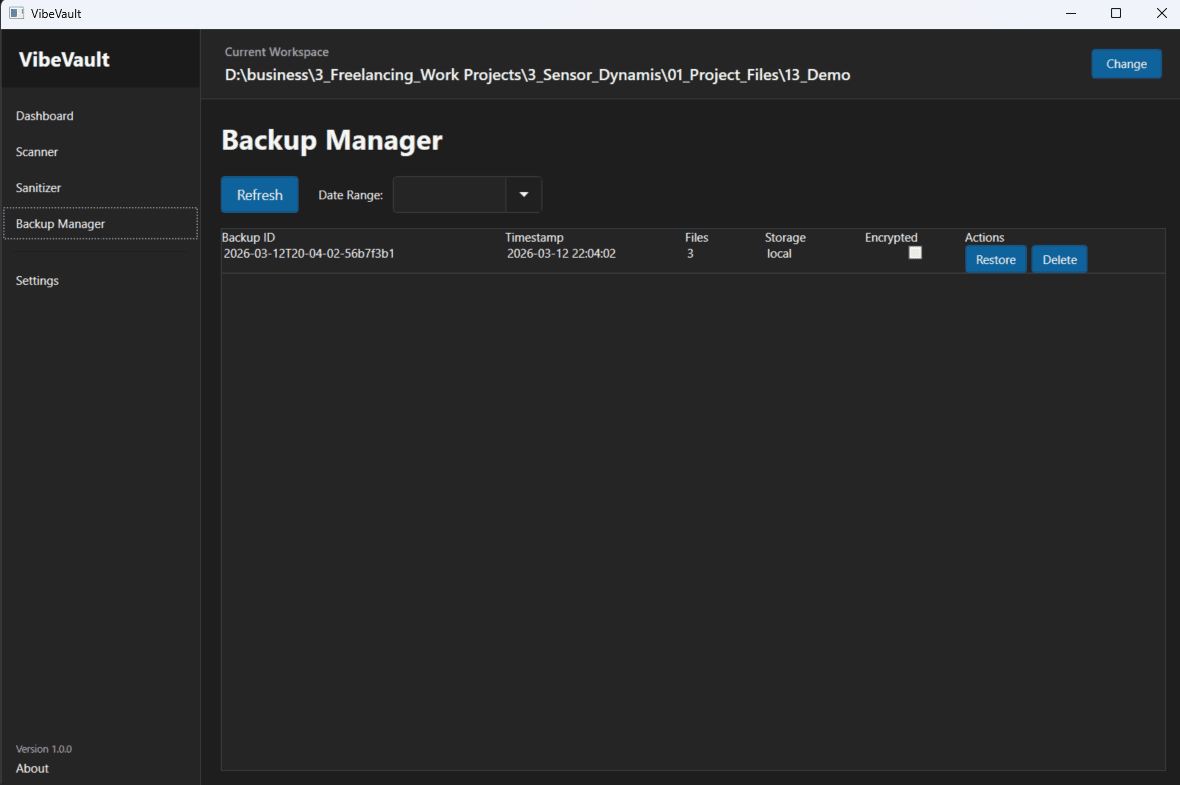
Backups
The backup manager is focused on inventory and restore, which makes the desktop build useful even while delete flows still lag behind.
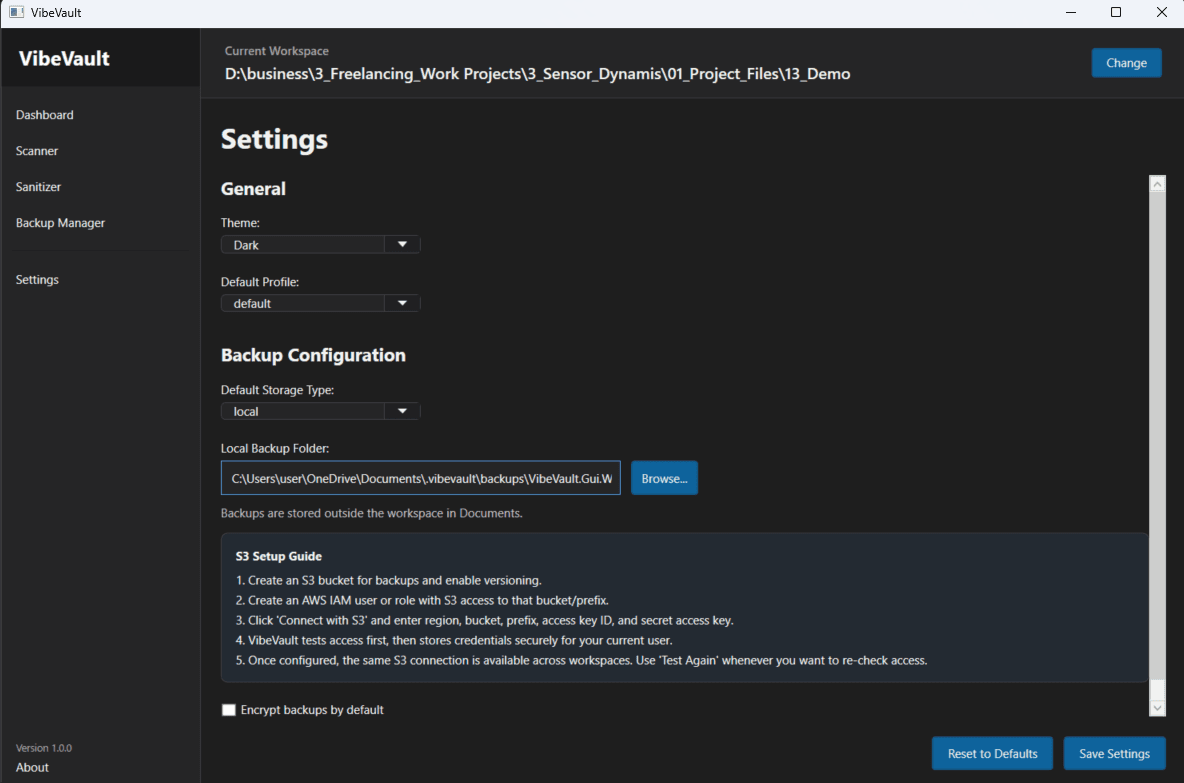
Settings
Settings centralize theme, profile defaults, backup destinations, and the shared S3 connection path used by the current user.
Run the desktop app
How to launch it locally
The desktop shell lives inside `packages/gui/VibeVault.Gui.Wpf` and runs as a WPF app.
>dotnet build packages\gui\VibeVault.Gui.Wpf\VibeVault.Gui.Wpf.csproj
>dotnet run --project packages\gui\VibeVault.Gui.Wpf\VibeVault.Gui.Wpf.csproj
What it covers
What the desktop version is good for today
The desktop build works best as a guided control surface for scan, sanitize, restore, and settings workflows.
The current WPF preview is strongest when it acts as a friendlier layer over the CLI-first model: workspace status, scanner review, sanitizer guidance, restore workflows, and shared S3 connection settings.
That makes it useful for demos, onboarding, and teammates who prefer a visual flow, while the CLI remains the strongest implementation path for the full product.