Remove plaintext secrets from your repo.Keep the AI workflow fast.
Secrets stay tied to the current Windows user instead of the workspace.
Backup and restore flows can keep a shared remote path ready.
Agents can read files. VibeVault changes what they see.
Plaintext repo in. Placeholder repo out. Real secrets stay encrypted until runtime.
Repo has live keys.
Agent keeps context.
Commit, prompt, or tool log.
Only placeholders stay visible.
Real value stays encrypted.
Inject on run, back up to S3.
Sanitize first. Run later. Recover when you need to.
The product is built around one rule: never let the workspace carry the real secret any longer than it has to.
Plaintext secrets should leave the workspace after sanitization.
Vault values stay encrypted with Windows DPAPI for the current user.
Runtime injection avoids writing decrypted secrets back to files.
Backup metadata and restore flows preserve a recovery path.
Edit a `.env` file, sanitize it, then run the project with secrets hidden from logs.
The demo is now start-driven instead of passive: change the env file, trigger detection, inspect the sanitized version, then watch the runtime injection window show how `vibevault run` keeps logs clean.
Edit the `.env` content, then start the demo to watch detection, sanitize output, and the runtime injection flow.
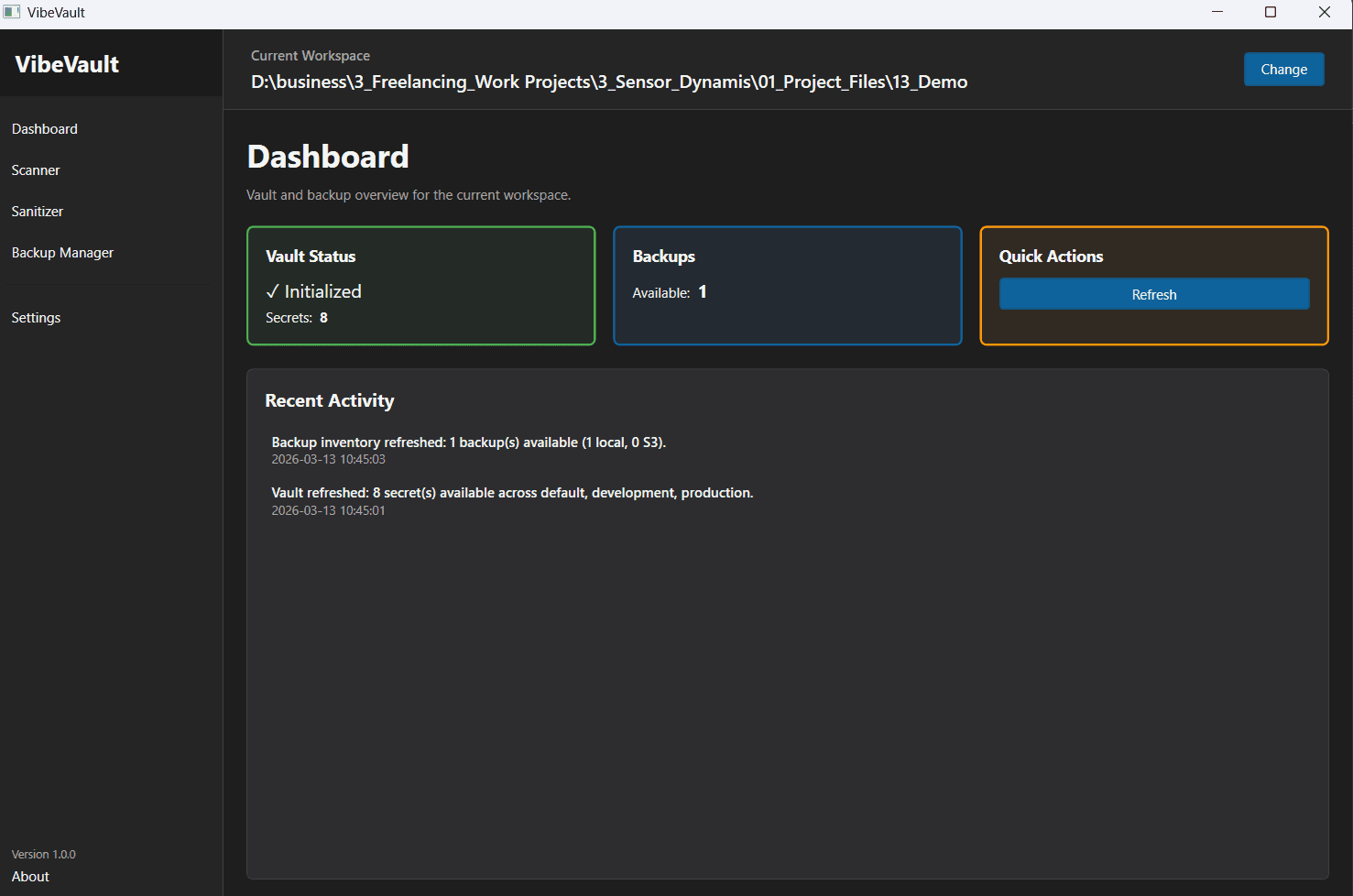
A control surface for teammates who should not need the terminal.
The desktop app is not a static mock. It already covers dashboard status, scanner results, sanitizer planning, vault browsing, command execution, and backup restore workflows.
Counts secrets and backups across common profiles and can reflect local plus S3 backup availability.
Restore flows are wired today, which makes the desktop app useful even while delete actions still lag.
Teams can configure, test, and inspect the current user's backup connection without leaving the app.
A detailed docs route now covers download, install, usage, and the demo flow.
Instead of hiding the setup in scattered markdown files, the landing app now links to a full docs page with source-first install guidance, command sequences, desktop notes, recovery flows, and demo instructions.
The build works today, but it is not published as a public installer yet.
Use the shared repo or archive, then build from the root workspace.
Run the included PowerShell script to link the CLI globally.
Walk through the real command flow with profiles, backups, and demo scripts.
Read the open-source plan for after the hackathon stages.
Use the shared repo or archive snapshot for now. The public package is not released yet.
Follow the docs flow for sanitize, vault, run, and backup.
Frequently asked before a team rolls this into a real workflow.
The answers below stay close to the current repo state so the marketing layer does not drift away from the implementation.
CLI ready. Desktop preview usable. Docs and demo flow now included.
The next public-facing step is not more mockups. It is hardening the build, keeping the docs current, and preparing the best parts for open-source release after the hackathon stages conclude.